New Sokoban1.1.3
Publisher Description
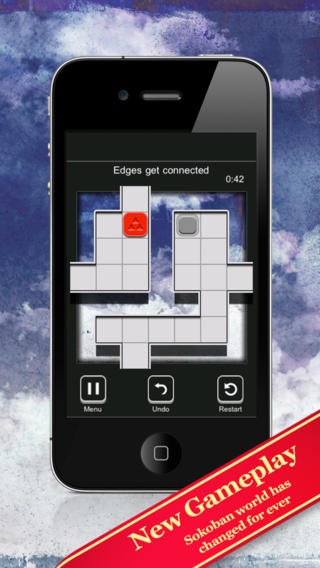
New Sokoban is a puzzle solving game that challenges you with a renewed version of classic sokoban logic game. What about sliding the boxes while swiping onto your device screen? What if sokoban world got new rules and laws? New Sokoban offers to you a completely new gameplay that makes solving puzzles a peaceful and brain breaker experience. Are you ready?
Completely renewed sokoban puzzle mechanic
50 challenging puzzles and many more to come
Tons of ways to solve each puzzle, but only one optimal solution for each one
150 stars to collect
Game Center support for leaderboards and achievements
Hidden rewards to be discovered
Easy to get, hard to put down
Relaxing atmosphere
Rapid app switching support
Carefully handcrafted by Toni Sala
Follow me on Twitter: @tonisalae
Requires iOS 4.3 or later. Compatible with iPhone, iPad, and iPod touch.
About New Sokoban
The company that develops New Sokoban is Toni Sala Echaurren. The latest version released by its developer is 1.1.3.
To install New Sokoban on your iOS device, just click the green Continue To App button above to start the installation process. The app is listed on our website since 2011-04-18 and was downloaded 4 times. We have already checked if the download link is safe, however for your own protection we recommend that you scan the downloaded app with your antivirus. Your antivirus may detect the New Sokoban as malware if the download link is broken.
How to install New Sokoban on your iOS device:
- Click on the Continue To App button on our website. This will redirect you to the App Store.
- Once the New Sokoban is shown in the iTunes listing of your iOS device, you can start its download and installation. Tap on the GET button to the right of the app to start downloading it.
- If you are not logged-in the iOS appstore app, you'll be prompted for your your Apple ID and/or password.
- After New Sokoban is downloaded, you'll see an INSTALL button to the right. Tap on it to start the actual installation of the iOS app.
- Once installation is finished you can tap on the OPEN button to start it. Its icon will also be added to your device home screen.
